

· Comparison · 5 min read
AI Workflow Approvals in Zapier: Comparing Human-in-the-Loop Options
Comparing two human-in-the-loop options for AI workflows in Zapier: native approval step vs EnforcedFlow extension. Learn about cost differences, mobile optimization, notification flexibility, batch processing, and AI-assisted refinement to decide which fits your workflow.
When building approval workflows in Zapier, you have two main options: Zapier’s native approval step or EnforcedFlow’s Human-in-the-Loop extension. While both serve similar purposes, they take different approaches to solving the approval workflow challenge.
This guide compares the key differences to help you choose the right solution for your workflow.
1. Reviewer access
Zapier’s Native Approval
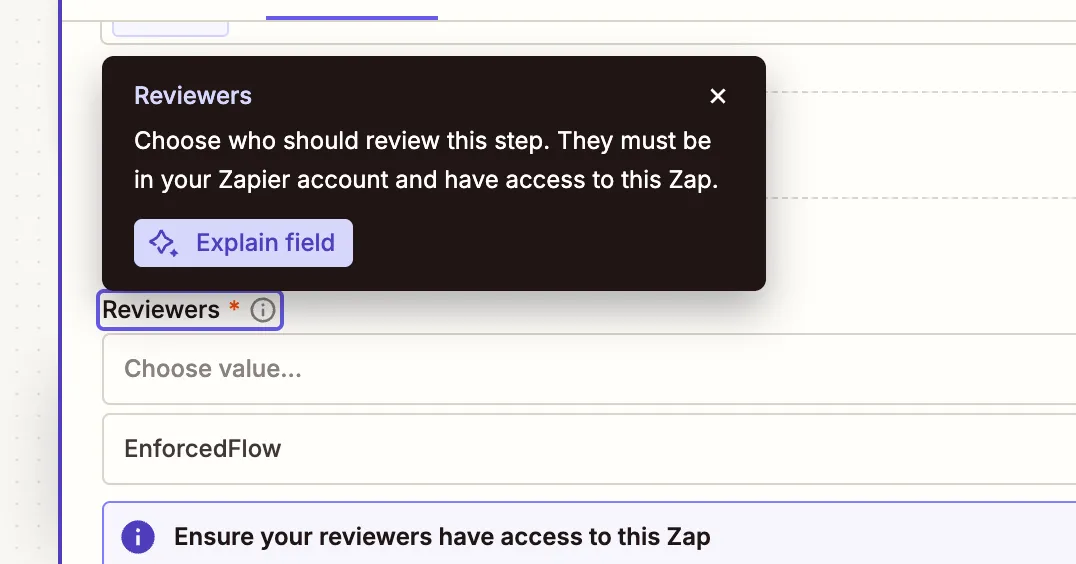
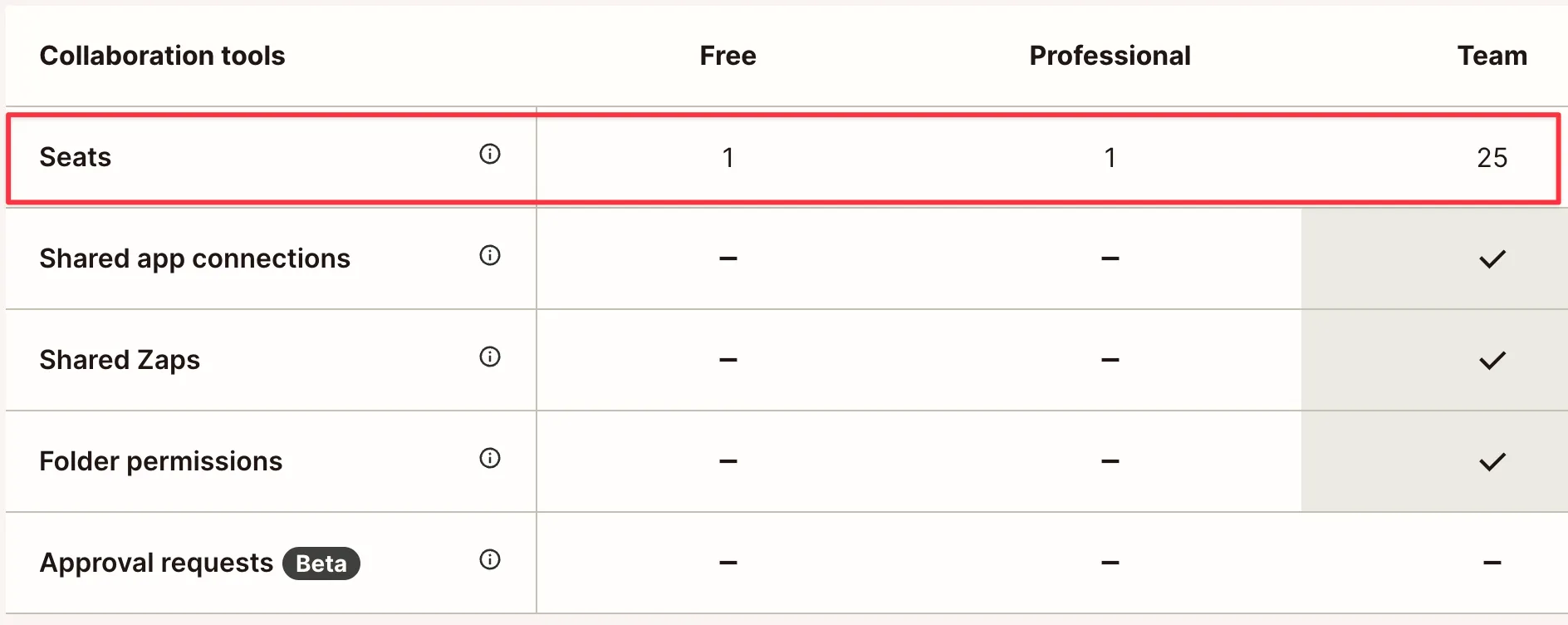
Zapier requires you to add every approver to your Zapier team. This means you need a Team plan, which starts at $69/month at the time of writing this article. Additionally:
- Each approver needs a Zapier account
- Every reviewer must be added as a team member
EnforcedFlow’s Approach
EnforcedFlow generates secure, expiring private links for each approval request. This means:
- Approvers don’t need accounts or logins
- Share links with anyone via any channel
- Links automatically expire after approval or rejection
- No team plan or additional seats required
When This Matters
This is especially valuable when:
- You want to minimize subscription costs (no Team plan required)
- You prefer simple setup - just share the link via email, Slack, or any channel
- You want to avoid the overhead of managing team member access and removals
2. Reviewing experience
Zapier’s Native Approval
When using Zapier’s approval step, reviewers must:
- Log in to their Zapier account to access content for review
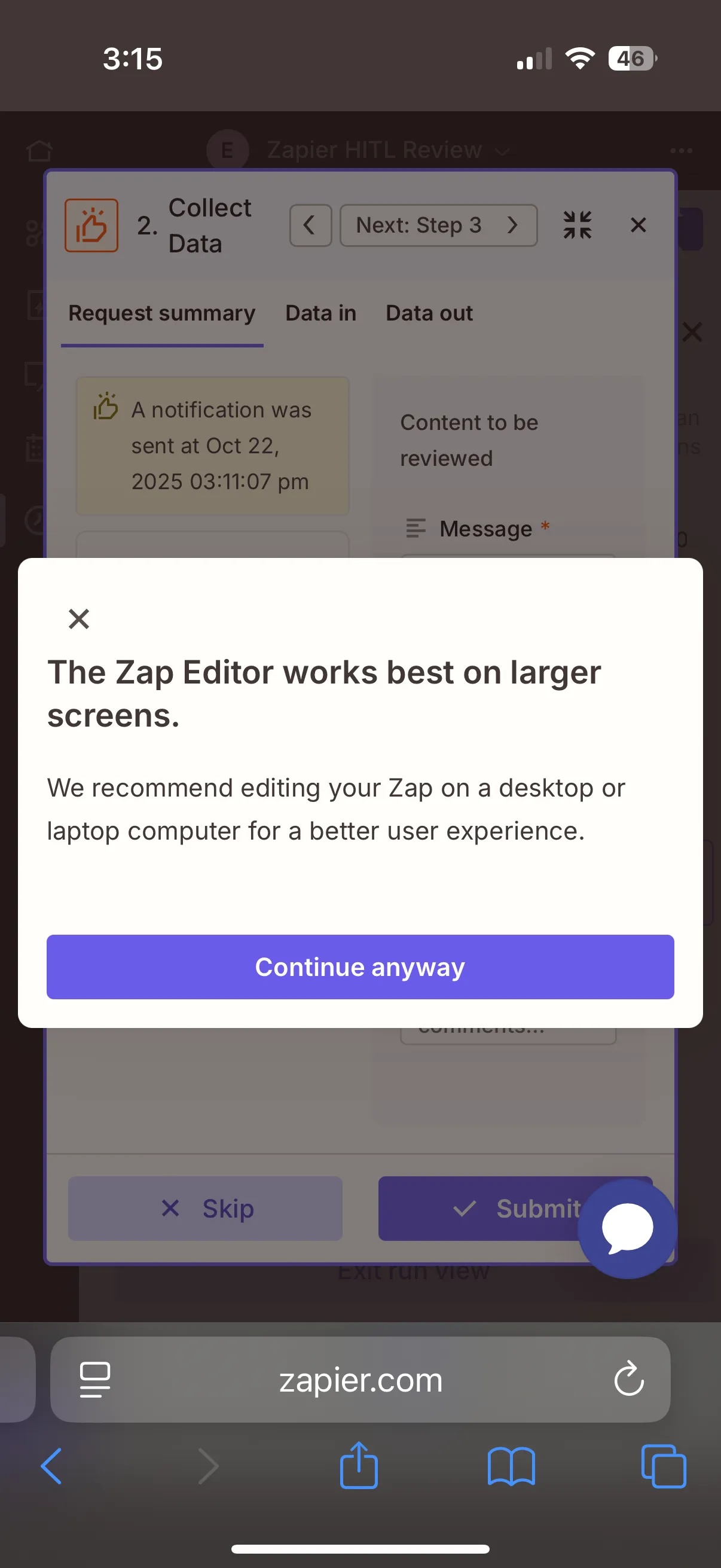
- Use a desktop for the best experience, as the review interface is not optimized for mobile devices
- Manually navigate between multiple approvals: click into an approval, approve or reject, return to the list view, and repeat for each item
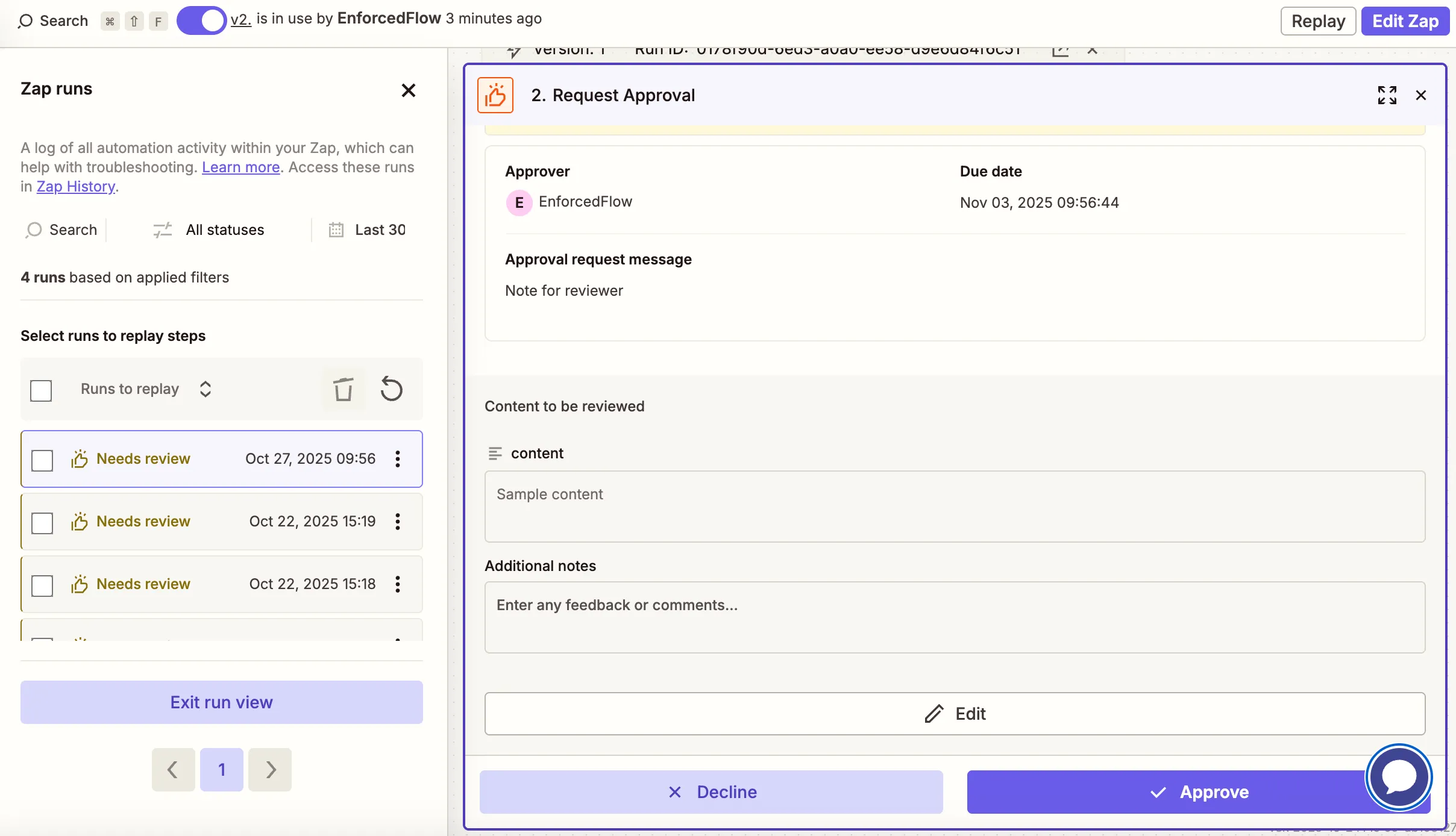
The above screenshot demonstrates Zapier’s overall review experience, including the sidebar with pending approvals that require manual clicking between items.
EnforcedFlow’s Approach
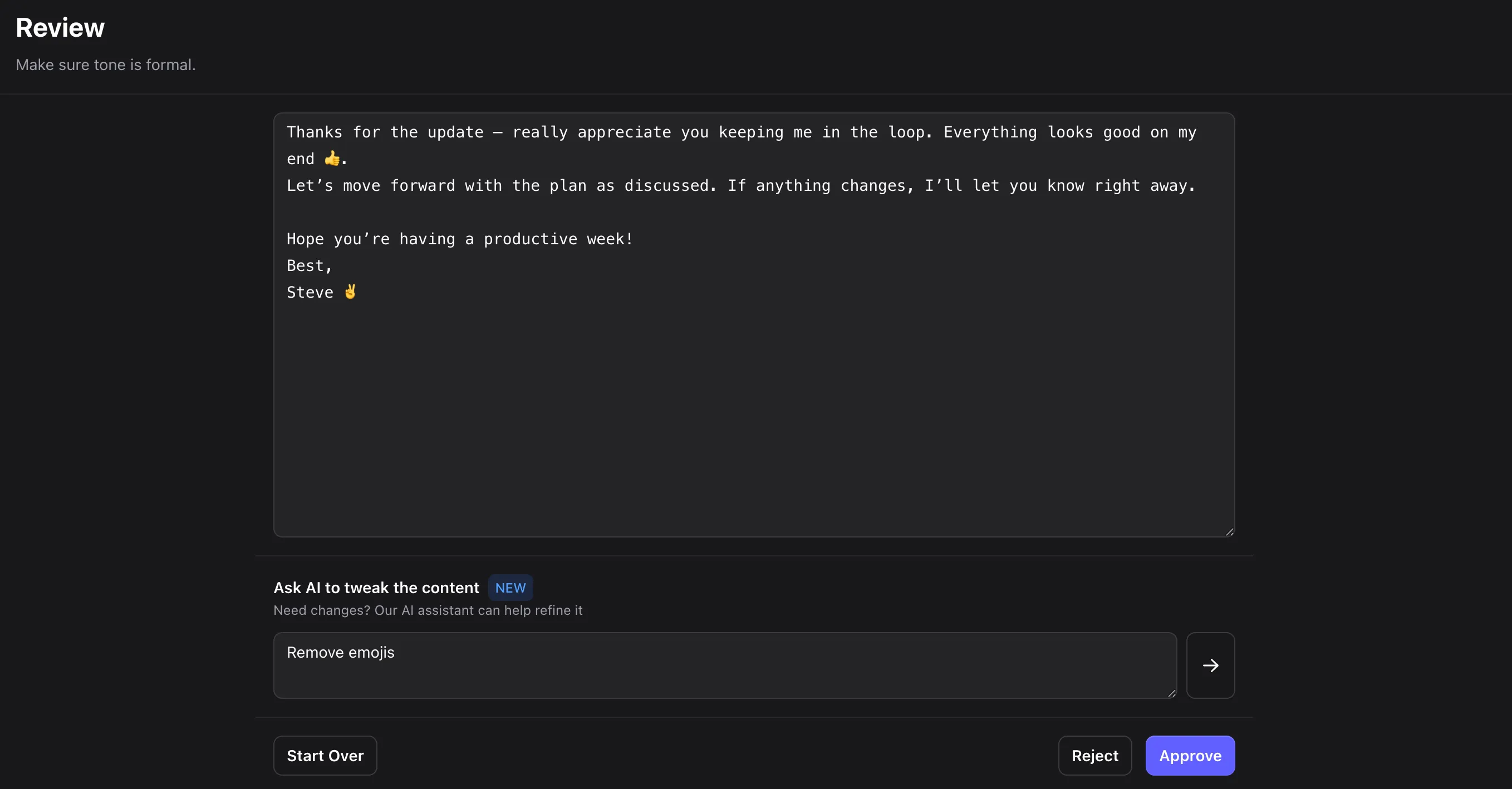
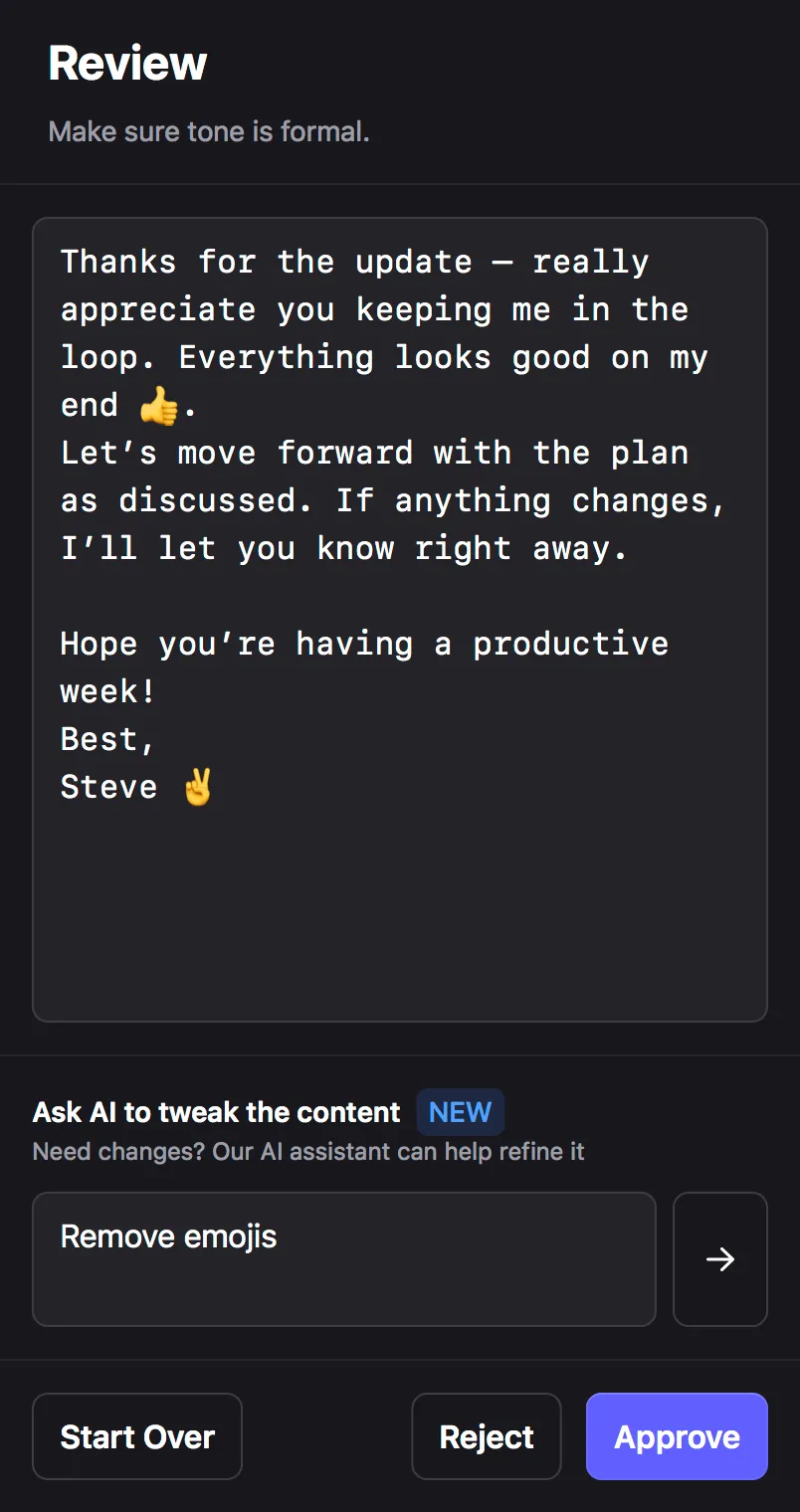
EnforcedFlow provides a streamlined review experience:
- Reviewers receive a private link and can access content immediately without logging in
- The interface works seamlessly on both desktop and mobile devices

- Built-in markdown editor automatically activates for rich content, providing live preview and WYSIWYG-style editing for articles, proposals, and formatted documents
- A focused, purpose-built UX optimized for content reviewing that presents guidelines and context without screen clutter
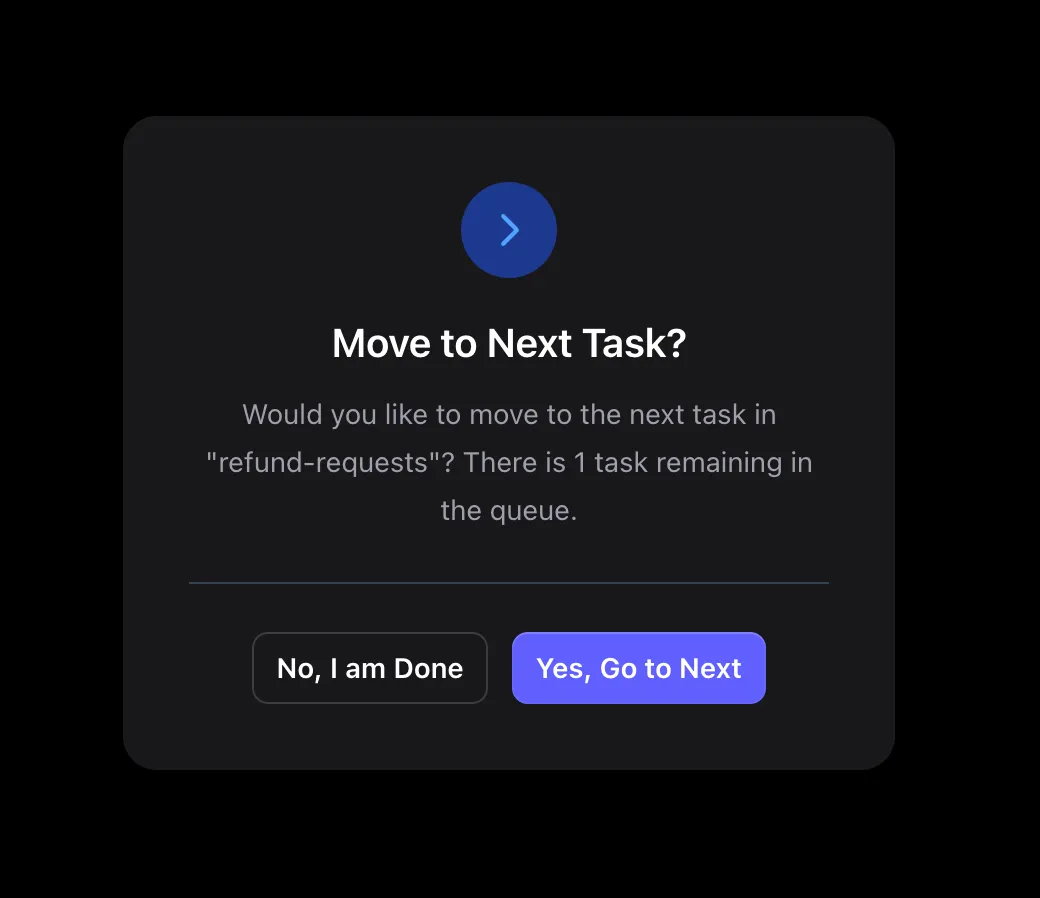
- Seamless batch processing: approve or reject the first item, and automatically move to the next pending approval in the queue without returning to a list view
When This Matters
The reviewing experience becomes important when:
- Reviewers need to approve content on the go or outside office hours
- You want to minimize friction in the approval process
- Reviewers are not technical users comfortable with complex interfaces
- You handle multiple approvals in succession and want to minimize clicks and context switching
- Quick turnaround times are essential to your workflow
3. Sharing with reviewers
Zapier’s Native Approval
Zapier’s approval notifications are integrated directly into the approval step, supporting:
- Slack messages
- SMS (with additional setup)
The advantage is that notification is handled automatically without needing a separate action.
EnforcedFlow’s Approach
EnforcedFlow provides you with the approval link, which you then send through a separate Zapier action to any channel you choose:
- Push notifications in your mobile app
- ClickUp tasks
- Notion database entries
- Linear issues
- Microsoft Teams
- Discord
- Any system that accepts URLs
While this requires an additional action step, it gives you complete flexibility in how and where you notify reviewers.
When This Matters
Notification flexibility helps when:
- Your team uses project management tools for all tasks
- You want notifications in the same place as other work items
- Different approvers prefer different communication channels
- You need to integrate with custom internal tools
4. AI-assisted editing
Zapier’s Native Approval
Zapier doesn’t provide AI-based content refinement as part of the approval process.
EnforcedFlow’s Approach
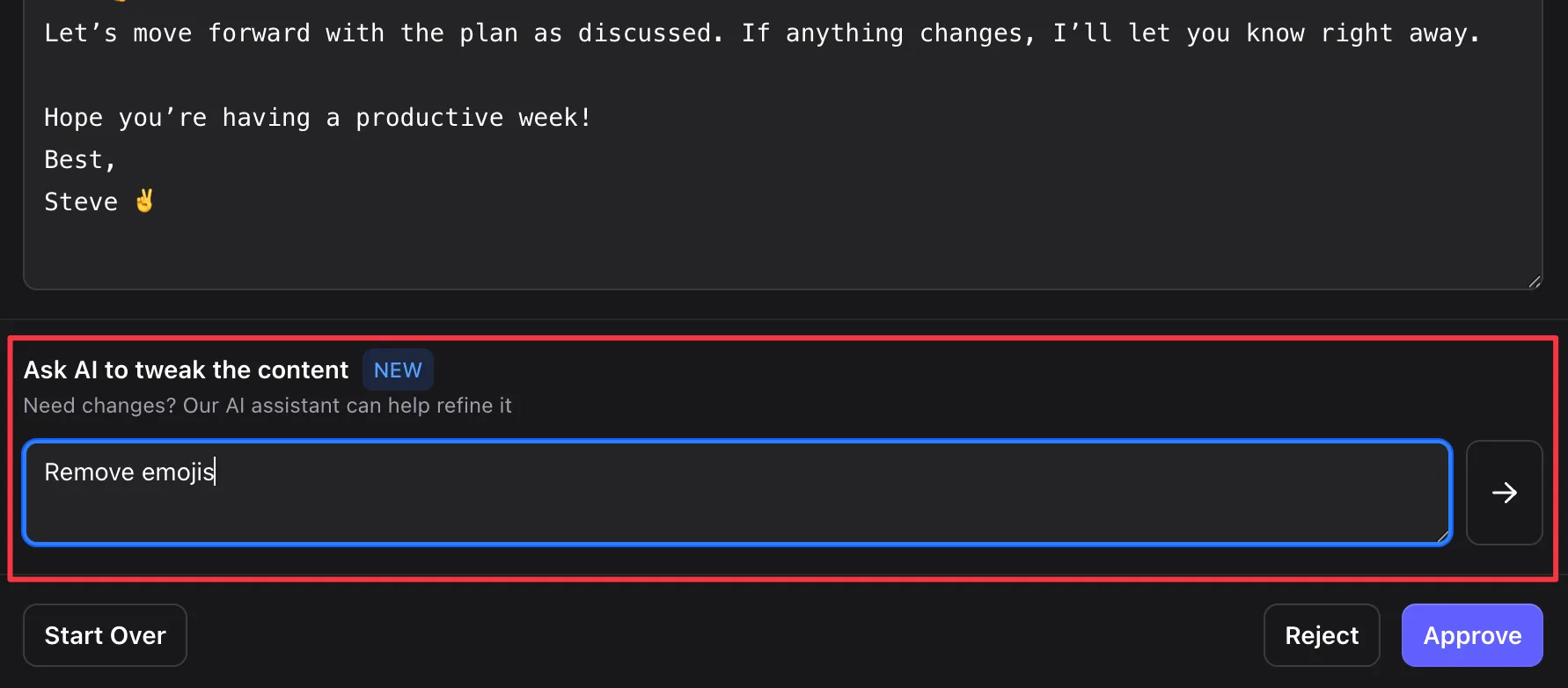
EnforcedFlow includes an AI assistant that lets you refine content through simple commands:
- “Make this 50% shorter”
- “Remove all emojis”
- “Convert paragraph 2 to bullet points”
- “Make the tone more professional”
- See changes in real-time within the markdown editor for formatted content
- Enjoy enhanced editing experience with live preview and WYSIWYG-style editing for rich content
When This Matters
AI-assisted refinement is especially valuable for:
- Long-form content like articles, newsletters, or detailed responses—enhanced by the built-in markdown editor with live preview
- Rich content approvals like proposals or formatted documents that benefit from WYSIWYG-style editing
- Quick formatting changes without manual editing
- Iterating on AI-generated content without starting over
Which Should You Choose?
Choose Zapier’s Native Approval if:
- Your approval team is small and stable
- Approvers are already Zapier team members
- You have simple approve/reject workflows
- Volume is low and mobile access isn’t critical
Choose EnforcedFlow’s Human-in-the-Loop if:
- You need external approvers without team access
- Mobile approval is important to your workflow
- You want flexibility in notification channels
- You handle batches of approvals regularly
- You work with AI-generated content that needs refinement
- You want to minimize ongoing management overhead
Getting Started with EnforcedFlow
Ready to try EnforcedFlow’s Human-in-the-Loop?
- Set up in Zapier → - Complete implementation guide
- View API Docs → - For custom integrations
- Explore Use Cases → - See real-world examples
Both solutions work well with Zapier - the choice depends on your specific workflow requirements and team structure.