

· Announcement · 4 min read
Route Leads by US Territory — From Any Location Format
A new routing criteria for US-based sales and support teams. Configure agents by zip code, county, state, or region — and send leads in any location format. EnforcedFlow resolves the match automatically.
Leads come in with inconsistent location data. One has a full address, another just a city name, another only a phone number. Manually matching these to sales territories is error-prone and doesn’t scale — especially when your agents cover territories defined by zip codes, counties, or entire states.
That’s why we’ve added US Territory Routing as a new routing criteria in EnforcedFlow. Configure your agents by zip code, county, state, or region. Then send leads in any location format — EnforcedFlow resolves the match automatically.
Any Input Format, Any Agent Configuration
The key differentiator is format flexibility. Your agents can be configured with one territory type (e.g., zip codes), and your incoming leads can arrive in a completely different format (e.g., a city name, phone number, or full address). EnforcedFlow handles the resolution between them.
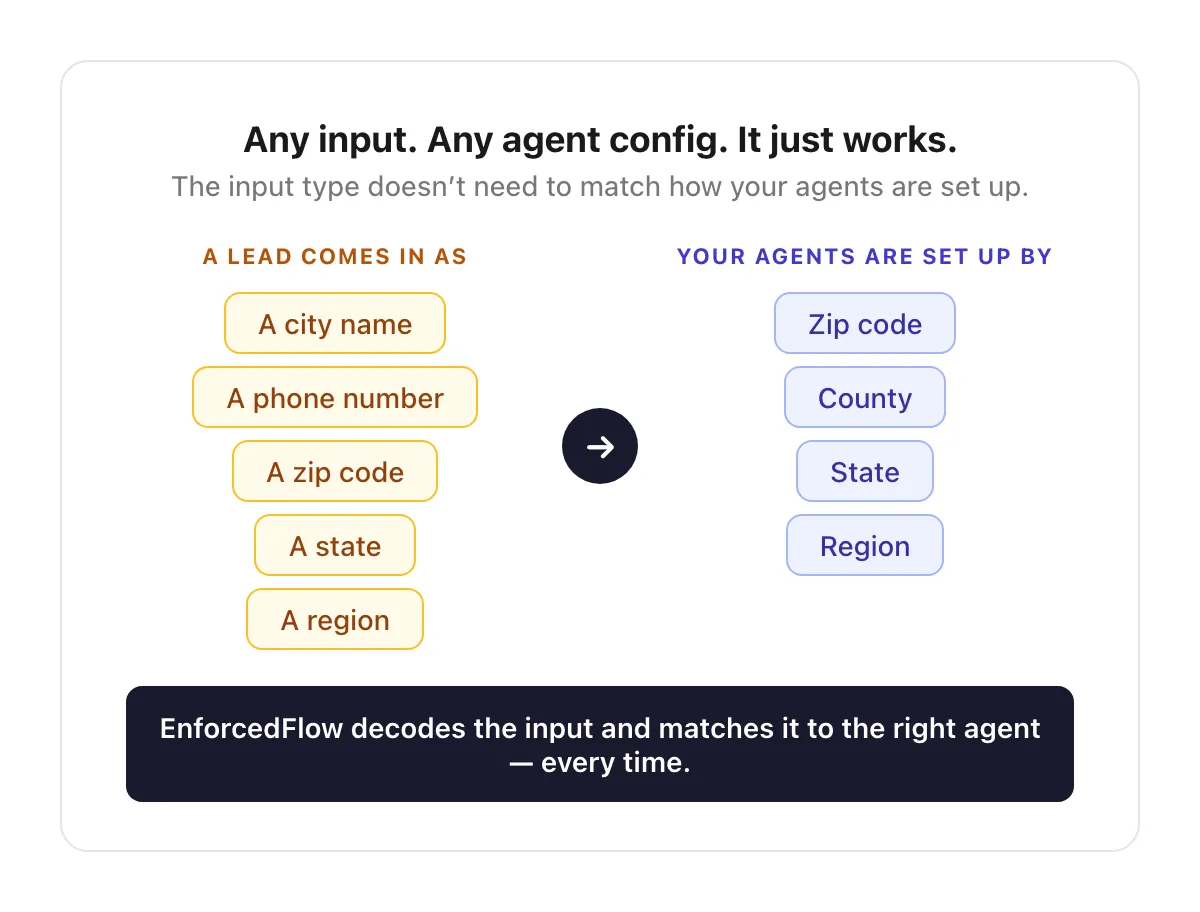
Agent config format doesn’t need to match the lead’s location format — EnforcedFlow resolves it automatically
Setting it Up
Add US Territory as a criteria field under your Advanced Round Robin Group, then specify territories for each agent. You can assign multiple territories per agent and mix types — zips, states, counties, and regions.
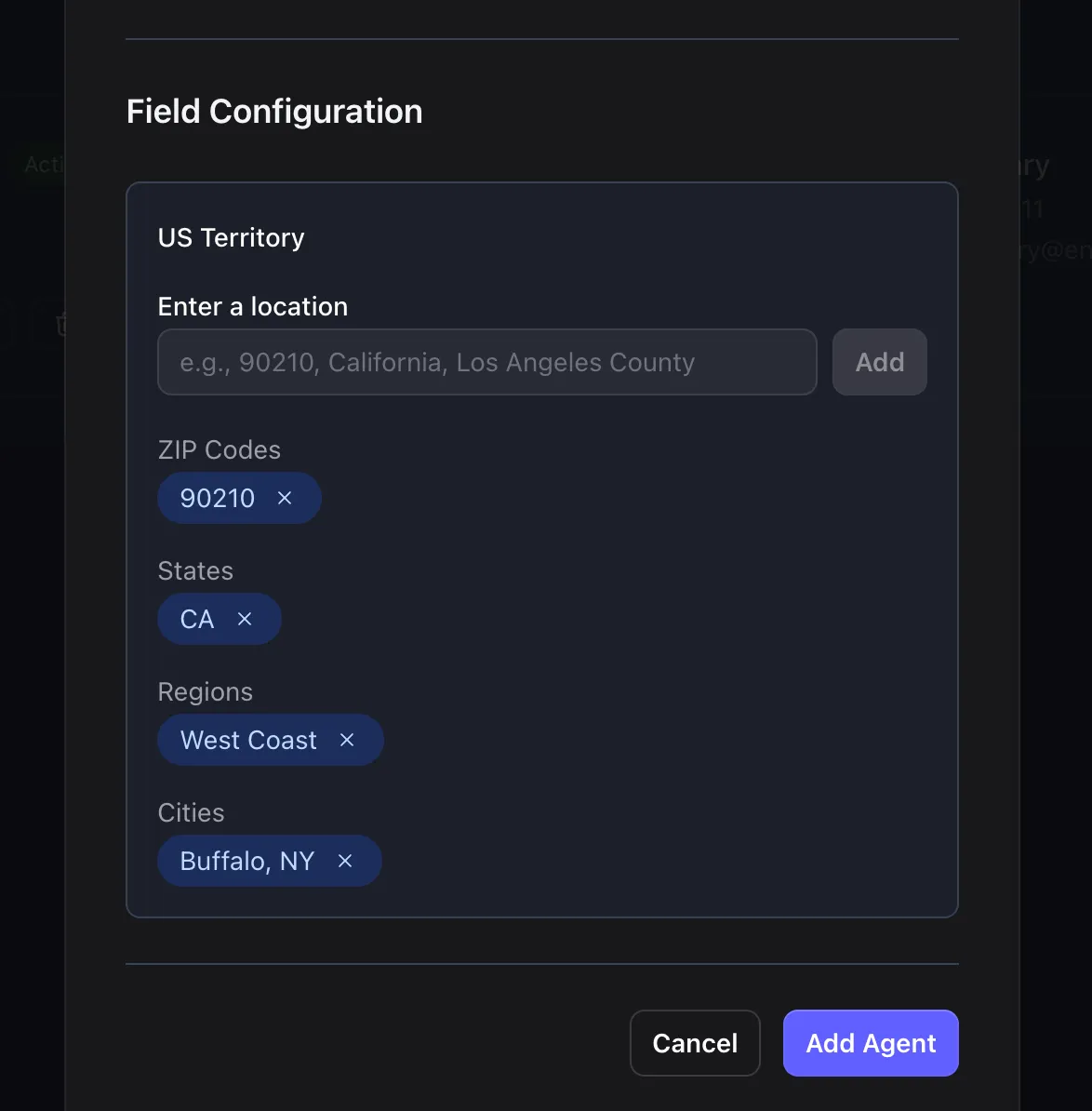
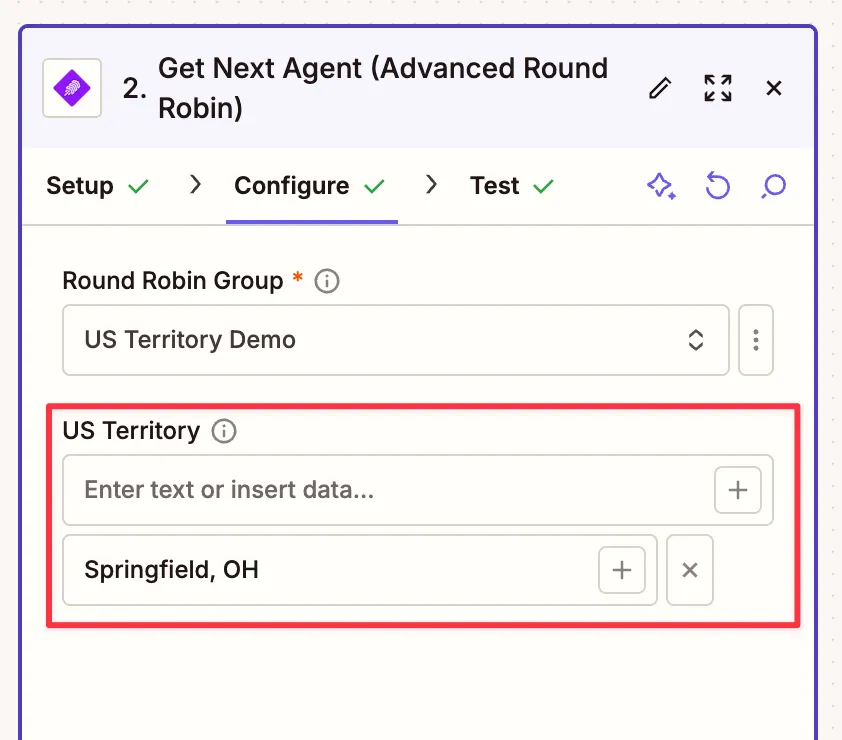
In Zapier
Once you add US Territory as a criteria field to your group, a new US Territory field appears in the EnforcedFlow Zapier action. Map it from a previous step — it accepts any text that represents a location: a full address, state, zip code, or even a phone number.
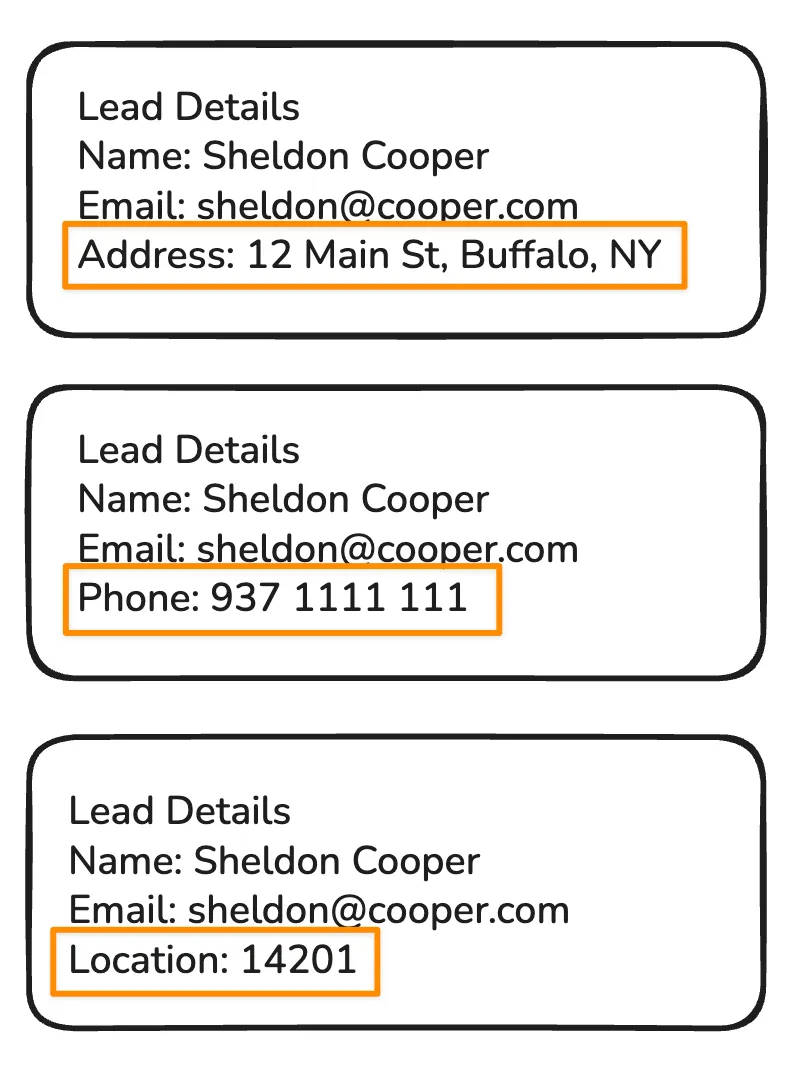
With Email Forwarding
If you’re using group email forwarding, just make sure the incoming email includes something location-related — an address, phone number, or zip code. EnforcedFlow picks it up automatically.
How Matching Works
When a lead comes in, EnforcedFlow evaluates territory matches in three steps:
- Direct Match — Checks if the lead’s resolved location directly matches an agent’s assigned territory (e.g., same zip code, same county)
- Inclusion Match — Checks if the lead’s location falls within an agent’s broader territory (e.g., a zip code that’s inside an agent’s assigned county or state)
- Distance Match — When there’s no direct or inclusion match, finds the nearest assigned territory and routes to that agent
If multiple agents match at any step, EnforcedFlow applies round-robin distribution among them — factoring in your existing workload and availability rules.
Routing in Action
The flexibility of any-to-any matching opens up a wide range of scenarios. Here are a few examples:
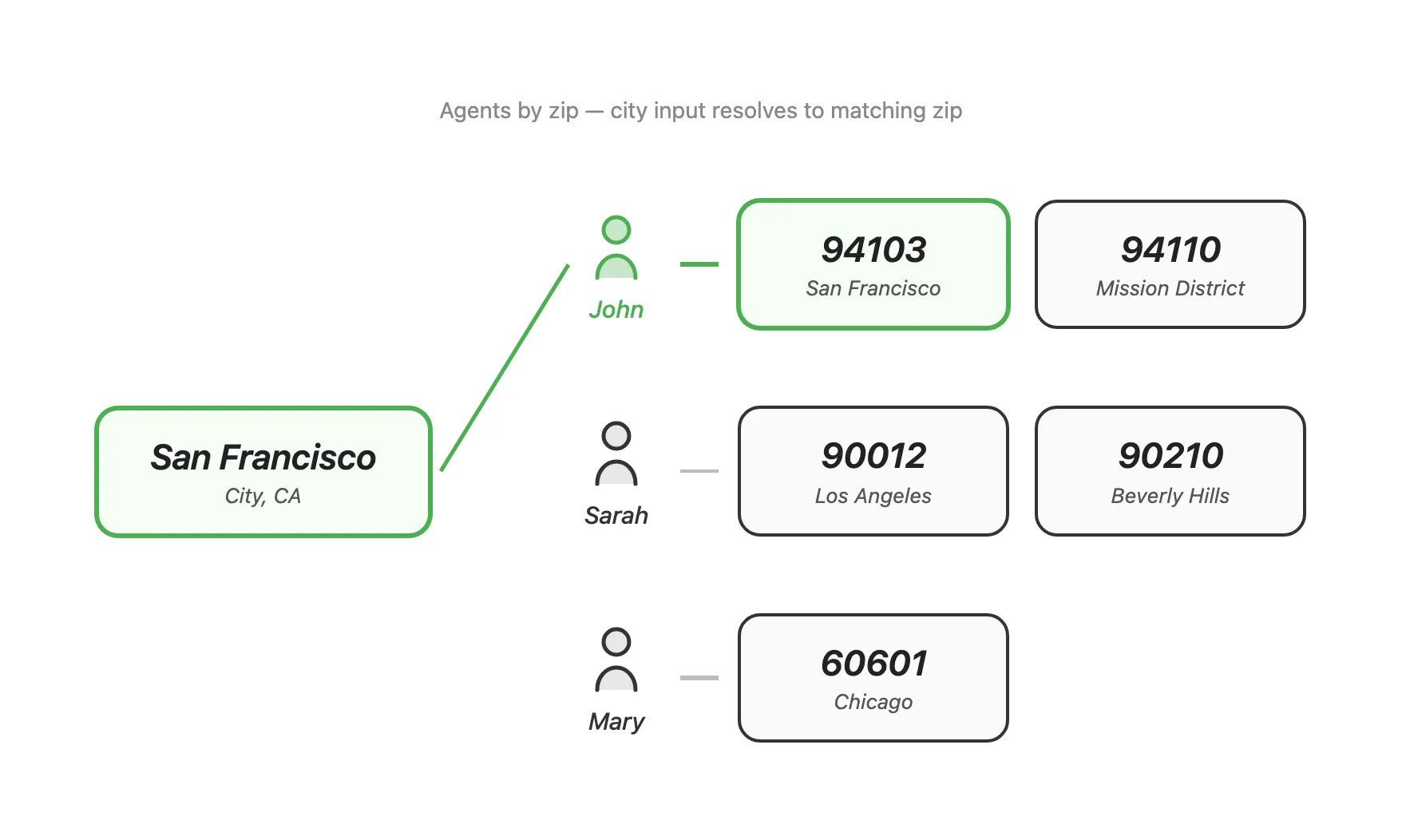
City Name → Zip Code Agent
A lead comes in with just a city name, but your agents are configured by zip code. EnforcedFlow resolves the city to a zip and finds the right agent.
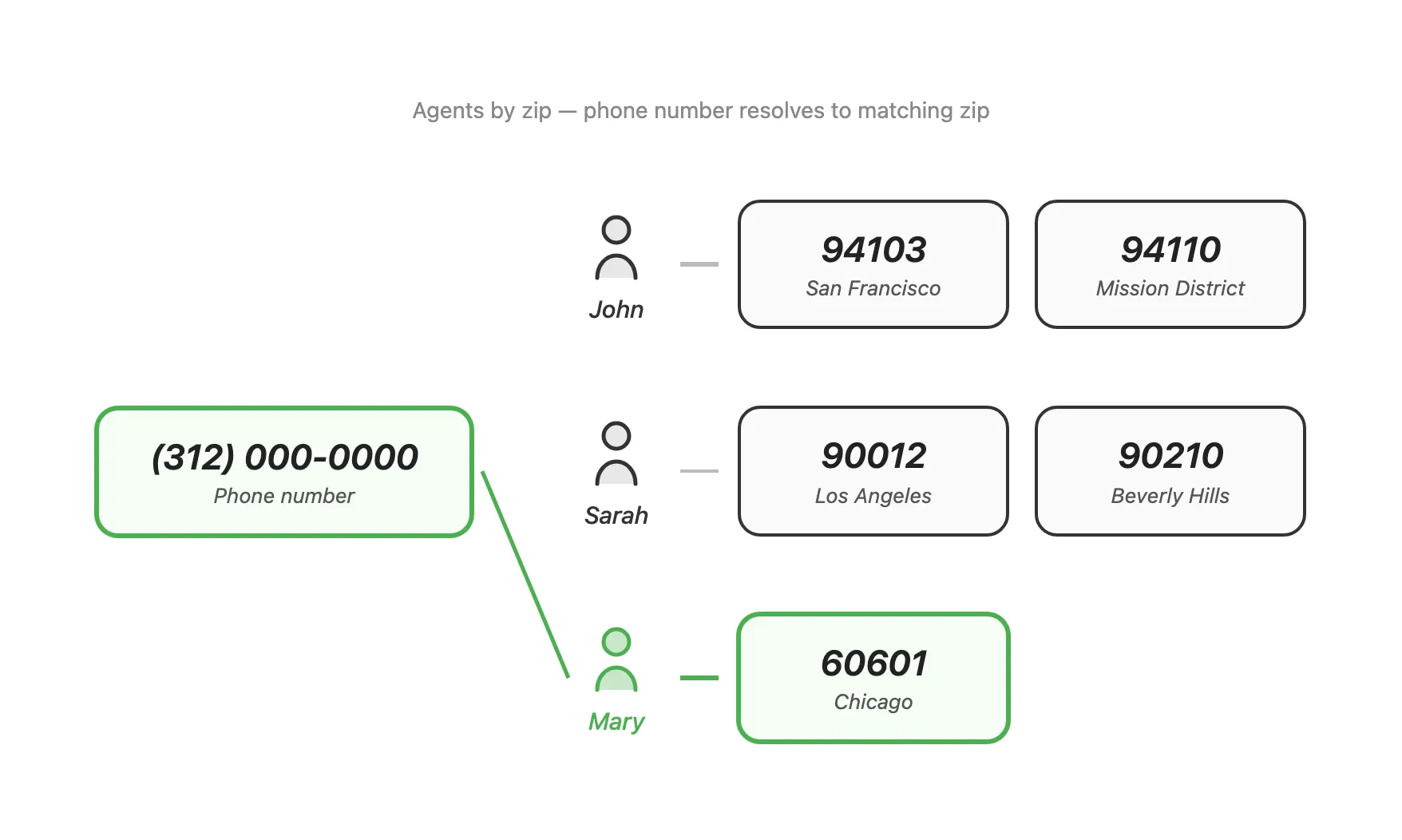
Phone Number → Zip Code Agent
A lead’s location data is just a phone number. EnforcedFlow reads the area code, identifies the state, and matches the closest agent.
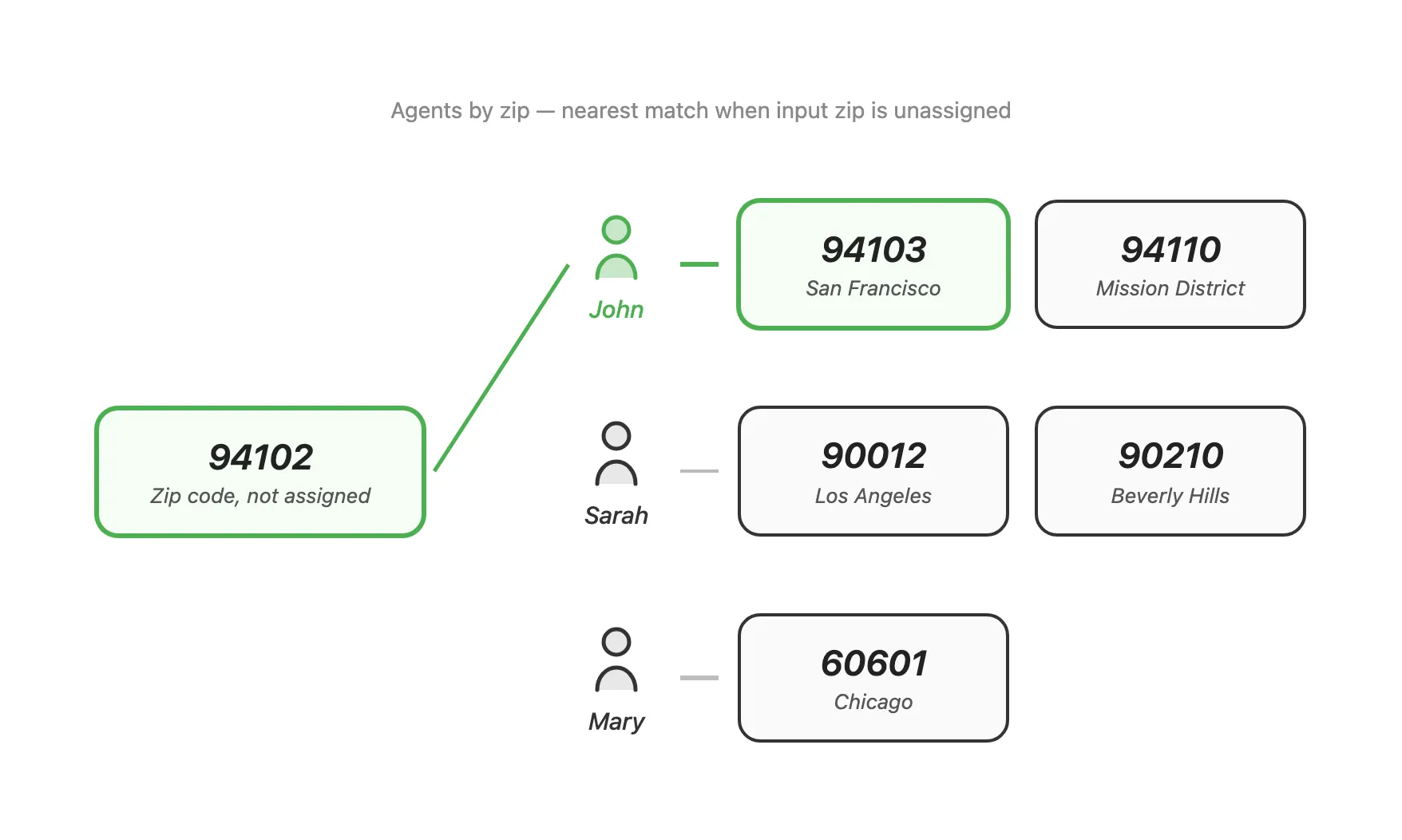
Nearest Match Fallback
A lead mentions a zip code, but no agent has that exact zip assigned. EnforcedFlow finds the nearest assigned zip and routes to that agent.
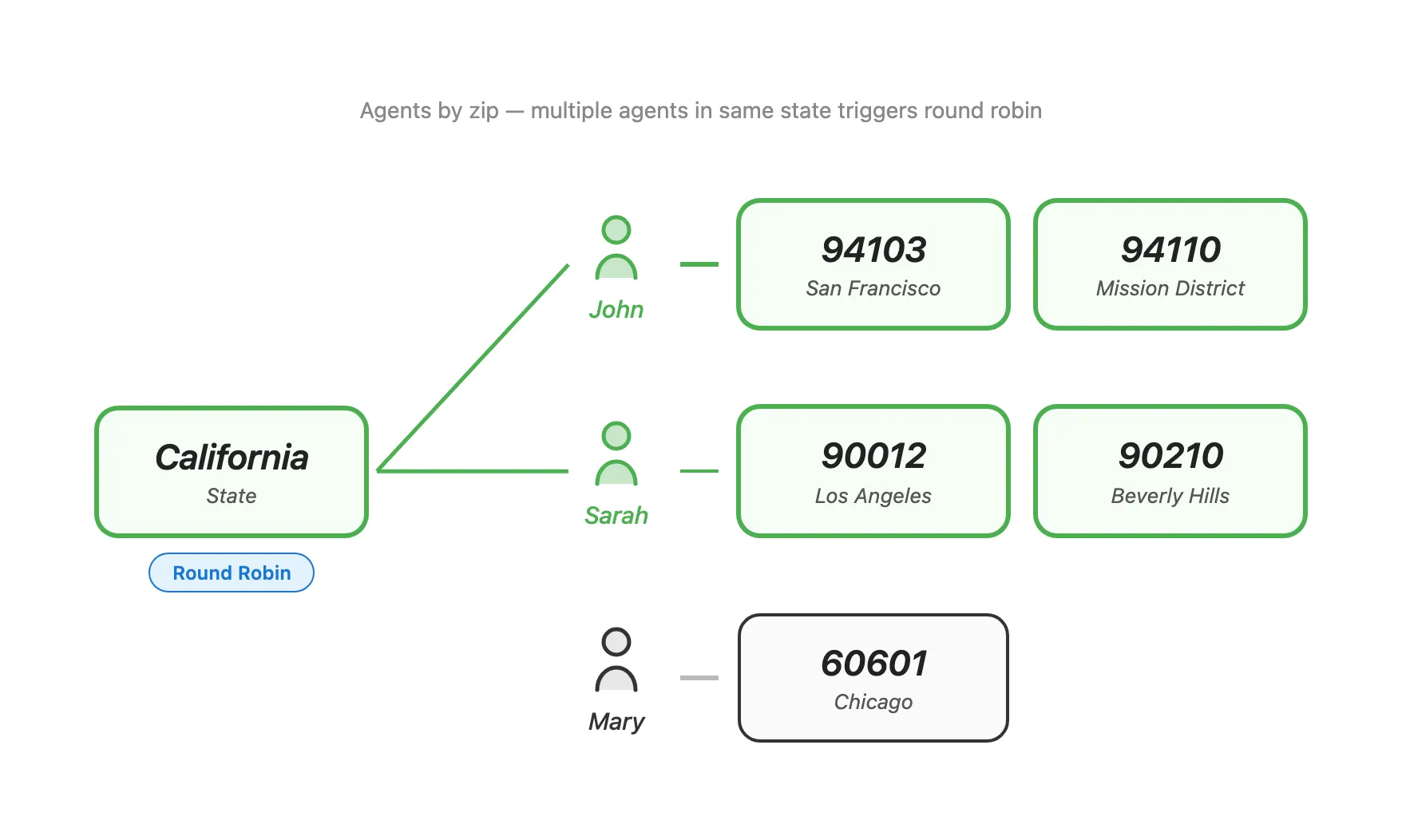
Round-Robin Distribution
A lead only mentions a state, and multiple agents have zips in that state. EnforcedFlow identifies all matching agents and round-robins between them.
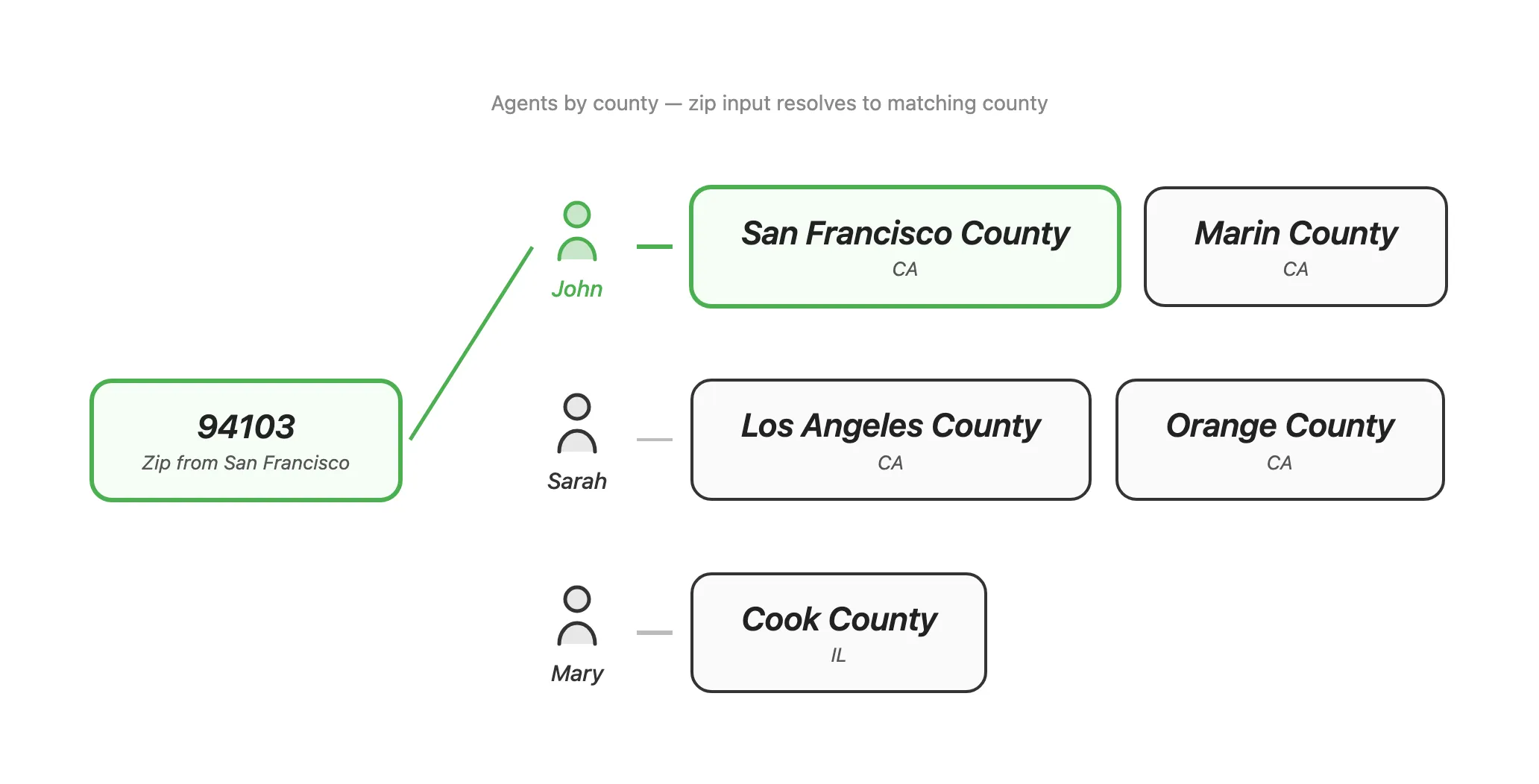
Cross-Format Matching: Zip → County Agent
A lead provides a zip code, but agents are configured by county. EnforcedFlow figures out which county that zip belongs to and matches the right agent.
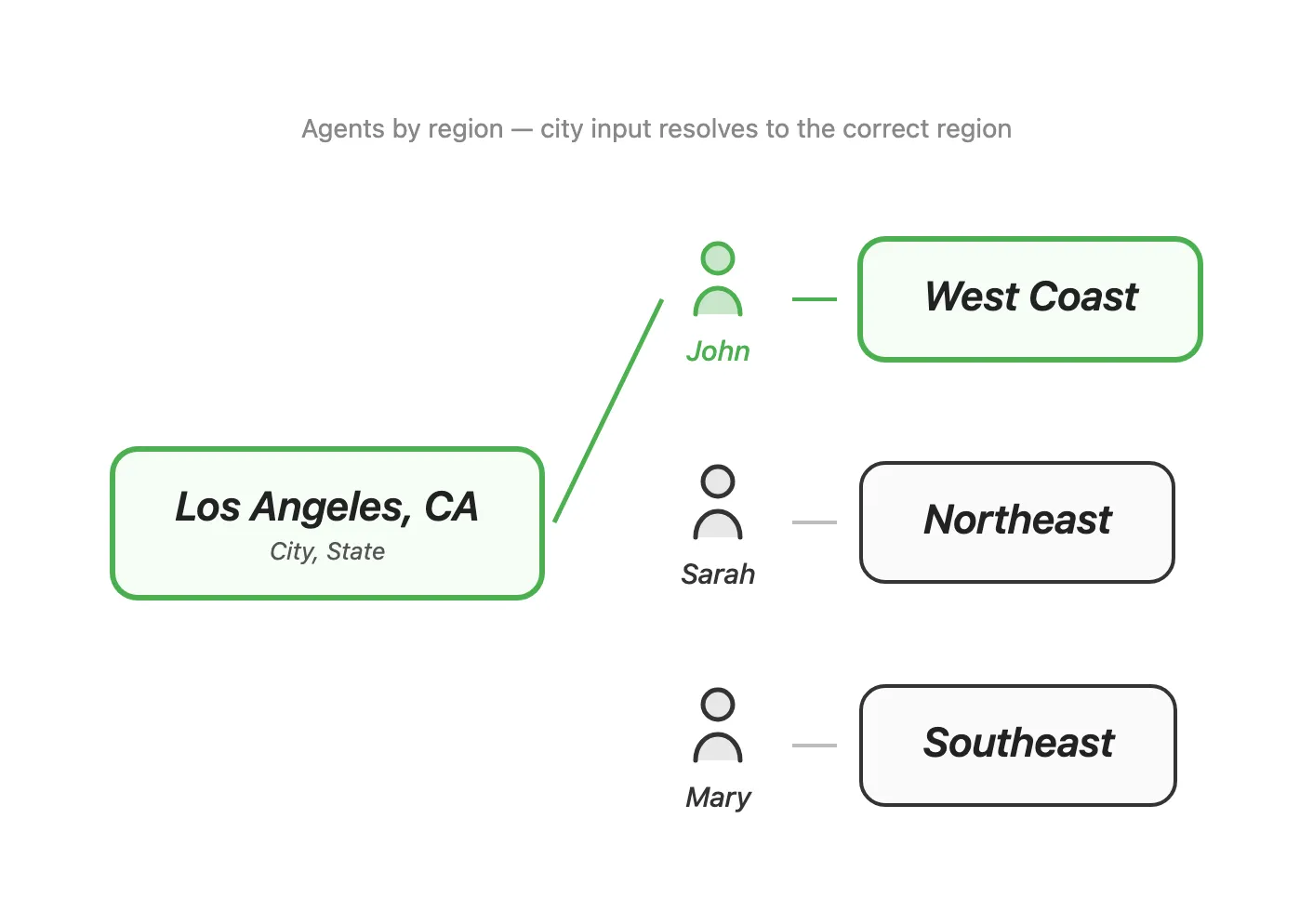
City and State → Region Agent
A lead provides a city and state, and agents are set up by region. EnforcedFlow resolves the city to the correct region and routes accordingly.
Works With Your Existing Setup
US Territory Routing is just another evaluation criteria — it works alongside skill-based routing, availability scheduling, and workload balancing in the same round-robin group. Add it to your existing rules or use it standalone.
It works with all integration methods: Zapier, Make, email forwarding, and the API.
Getting Started
US Territory Routing is available now for all Advanced Round Robin Groups.
- View Documentation → — Full setup guide with all supported input scenarios
- Open EnforcedFlow → — Add US Territory to your round-robin group