

Key Features
Everything you need for seamless approval workflows
Add the HITL action to your workflow in seconds. Each task generates a secure, expiring link. Reviewers need no accounts—just click and approve. Works with Zapier, Make, or any platform via API.
Mobile-optimized interface works beautifully on phones, tablets, and desktops. Automatically switches to a markdown editor for rich content with live preview and WYSIWYG-style editing. Review and approve from wherever you are.
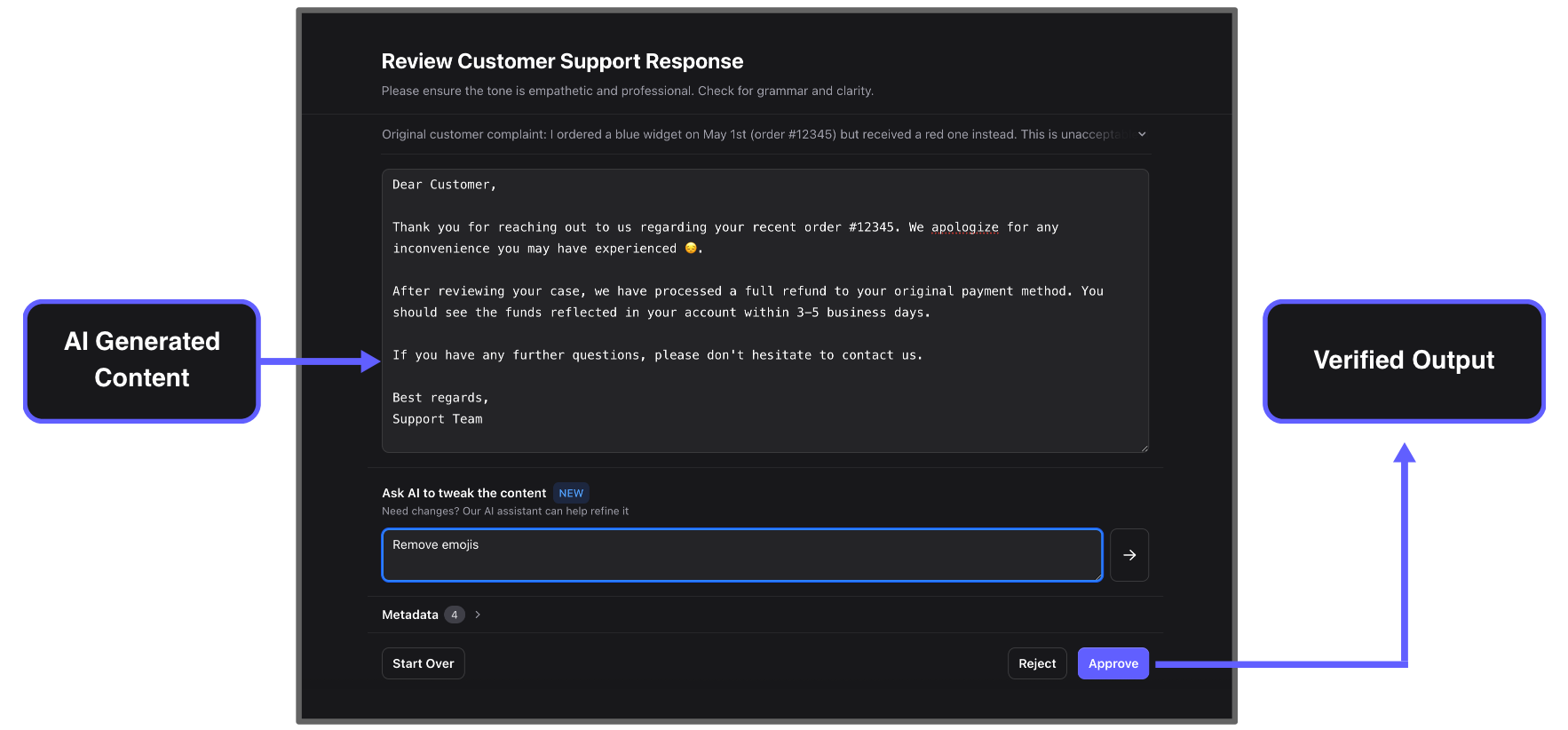
Refine content with simple commands: "Make it shorter", "More professional tone", "Remove emojis". Built-in markdown editor with live preview provides an enhanced editing experience for formatted content like articles and proposals. Edit directly or let AI handle the changes.
Review multiple tasks in one session. Approve one task and automatically move to the next—handle dozens of approvals efficiently.
Rich Content Editing
Enhanced markdown editing experience for formatted content like articles, proposals, and documentation
Built-in markdown editor with live preview and WYSIWYG-style editing
How It Works
From AI generation to human approval in four simple steps
AI Generates Content
Your automation creates responses, posts, emails, or any content that needs human oversight before going out.
Send to Human-in-the-Loop
Workflow sends the AI-generated content for approval with any context, guidelines, or source materials the reviewer needs.
Human Reviews and Refines
Reviewer gets a secure link, sees the content with full context, and can approve, reject, or refine using AI assistance—all from any device.
Approved Content Continues
Once approved, the content flows back to your automation and continues to its destination. Rejected items can trigger alternative actions.
Real-World Use Cases
See how teams use Human-in-the-Loop to add oversight to their AI-powered workflows
AI generates personalized responses to customer reviews. You review and approve before they're posted publicly, ensuring brand voice and appropriate tone.
AI drafts responses to support tickets based on your knowledge base. Support managers review before sending to catch potential misunderstandings or tone issues.
AI generates social posts from blog articles or product updates. Marketing team reviews to maintain brand consistency and avoid PR risks.
AI analyzes and qualifies leads from form submissions. Sales managers review AI assessments before routing to reps, ensuring quality and fit.
AI generates blog posts, newsletters, or documentation. Editors review and refine using the built-in markdown editor with live preview before publishing to ensure accuracy and quality—ideal for content requiring formatting and structure.
AI creates personalized email campaigns with rich formatting. Marketing managers review using the markdown editor for better editing experience, checking tone, accuracy, and compliance before scheduling sends.
Integration Options
Connect Human-in-the-Loop to your workflow platform of choice
Use our official Zapier integration to add approval steps to any Zap. Connect with 6,000+ apps and services.
Integrate HITL into Make scenarios for visual workflow automation with advanced routing and logic.
Build custom integrations using our REST API. Perfect for developers wanting full control over approval workflows.
Frequently Asked Questions
How does batch processing work?
Batch processing allows you to group multiple approval tasks together and review them in sequence. When you approve or reject a task, you're automatically shown the next pending task in the batch. This creates a seamless review flow where you can handle dozens of approvals efficiently without navigating back to a list view. You can configure batch grouping based on time windows or specific criteria in your workflow.
What integrations are supported?
Human-in-the-Loop integrates with Zapier (6,000+ apps), Make.com, and offers a REST API for custom integrations. Through Zapier and Make, you can connect to platforms like Gmail, Slack, Microsoft Teams, Google Sheets, Airtable, HubSpot, Salesforce, and virtually any modern business tool. The API allows developers to integrate HITL into custom applications, internal tools, or proprietary workflows.